9 Ways to Reduce Meeting Overload in Your Organization
Key Takeaways
- Meeting overload causes fuzzy goals, unclear roles and responsibilities, and a meeting culture that defaults to synchronous communication.
- Reducing meeting overload requires structural changes: clear agendas, shorter meeting duration, and protected time for focused work.
- Asynchronous communication tools, especially internal podcasts, let teams stay aligned without calendar gridlock.
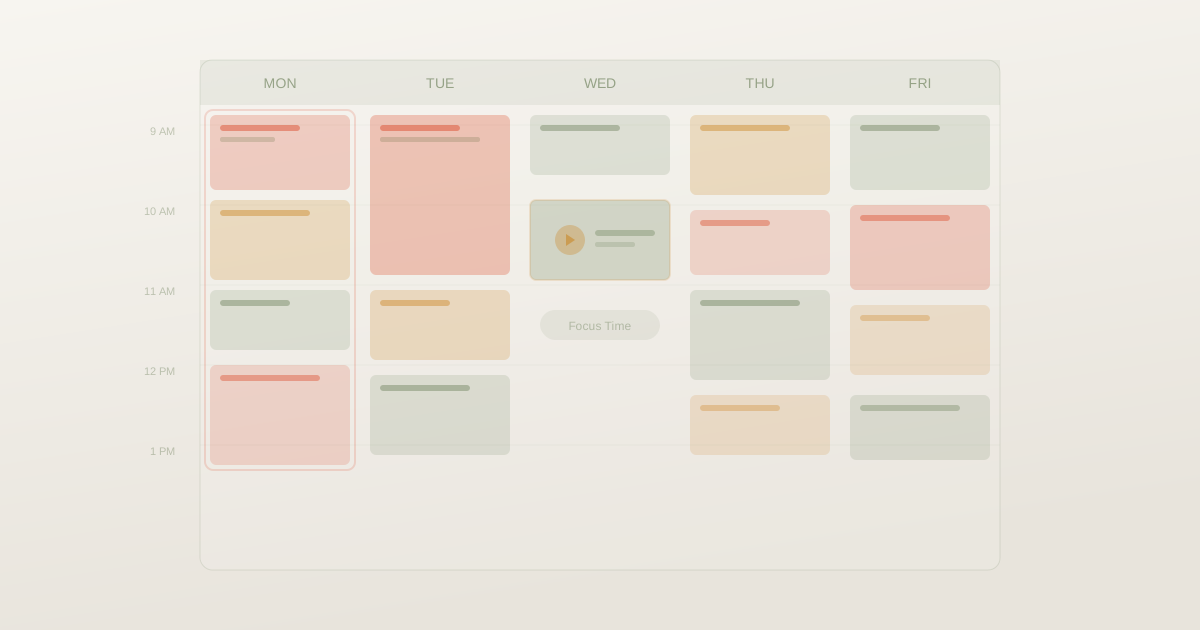
Say, you block time to “focus”…and then a last-minute invite pops up. “Quick sync?” Sure. Forty-five minutes later, you’re still there. Cameras on. Slides up. Decision? TBD.
According to Harvard Business Review , execs spend over 23 hours per week in meetings, yet key outcomes still slip through the cracks.
The pandemic only accelerated it. Zoom calls replaced hallway chats without the natural time limits. Suddenly, everything needed a link.
This isn’t about hating collaboration. It’s about reclaiming time for real work. And the fix isn’t mass cancellations; it’s a smarter structure, clearer communication, and knowing when async comms, such as internal podcasts makes more sense.
So how do you reduce meeting overload without killing momentum? Let’s get into it.
First, What Causes Meeting Overload? And, How Does It Impact Organizations?
Before diving into solutions, it helps to understand why calendars become disaster zones in the first place. Meeting overload rarely happens because people love meetings. It usually stems from organizational habits and unclear processes.
The Real Cost Of Excessive Meetings
When meeting overload takes hold, productivity craters. Teams report spending half or more of their week in meetings on their calendars, leaving fragmented chunks for the focused work that actually moves projects forward.
The impact of meeting overload shows up in multiple ways:
- Reduced focus and shallow work between calls
- Meeting fatigue and burnout, especially in remote work and hybrid work environments
- Many employees feel drained by 3 PM, unable to do the follow-up work for unproductive meetings
- Deadlines slip because uninterrupted time for deep work doesn't exist
The financial impact is real, too. Meeting costs add up when senior leaders spend their time in unnecessary meetings instead of strategic work. And when people work overtime just to catch up on their actual work, you're paying twice for the same output.
How To Reduce Meeting Overload: 9 Strategies That Work
Here are nine practical strategies to cut the clutter, protect focus time, and make every meeting actually count:
1. Audit Your Meeting Schedule
Start with data. Pull up the last month of your calendar and categorize every meeting. How many were truly necessary? How many could have been an email, a Slack message, or a quick async update?
Many orgs find that a lot of meetings fall into the "probably unnecessary" bucket. Look for patterns:
- Are certain meeting types consistently unproductive?
- Do recurring meetings still serve their original purpose?
- That weekly sync you inherited six months ago, does anyone remember why it started?
2. Set Clear Meeting Goals And Agendas
Every meeting needs a stated purpose, desired outcome, and a brief agenda sent in advance. If these can't be articulated, the meeting probably shouldn't happen.
A clear meeting agenda transforms wandering conversations into focused sessions. Share it 24 hours ahead so participants can prepare. Include specific action items you need to decide, not vague topics to "discuss."
When meetings have a purpose, they end faster, and people actually want to attend.
3. Set Time Blocks for Agendas
Ever notice how a 30-minute meeting magically fills the entire 30 minutes…even if the decision takes five?
Parkinson’s Law is alive and well in internal meetings. If you don’t assign time blocks to each agenda item, conversations drift.
Try this instead to make meetings more effective:
- Assign a specific time limit to every agenda item
- Put the most important decision first (while energy is high)
- Leave the final 5 minutes for recap and action items
- End early when you can (yes, really!)
This simple shift reduces total time in meetings and makes space for actual time to complete meaningful work.
When you see many meetings on your calendar, it’s tempting to push for fewer meetings altogether. But the real issue of meeting overload isn’t always quantity; it’s structure.
Tighter time blocks = sharper focus. And sharper focus changes everything.
4. Shorten Default Meeting Time
Here's a pitfall most organizations fall into: defaulting to 30-minute or 60-minute meeting slots because that's what the calendar app suggests. Meetings expand to fill the time allotted.
Try scheduling 25-minute or 50-minute meetings instead. This creates natural buffer time, prevents back-to-back stacking, and forces tighter discussions.
You'd be surprised how much gets done when everyone knows there are only 25 minutes to work with.
5. Shift To Async Communication
This is the big one. Asynchronous collaboration is a great way to reduce meeting overload. Yet many companies struggle despite having collaboration tools because they don't use them strategically.
The thing is, not every exchange requires real-time presence. Many discussions actually improve when participants have time to think before responding.
Status updates can shift to a shared doc. Quick questions can move to a channel thread. Leadership messages can become podcasts .
On that note, Supporting Cast securely delivers internal podcasts through the apps people already use, like Apple Podcasts and Spotify. It gives leadership a scalable, human way to communicate across time zones without adding another meeting to the calendar.
6. Protect Meeting-Free Time Blocks
If you don't proactively block focus time, meetings will consume every open slot. Schedule deep work sessions as recurring appointments and mark them as busy.
Some organizations designate entire meeting-free days. Others protect mornings or specific afternoons. The key is making these limits visible and shared.
When an entire team agrees that Wednesday mornings are for focused work, peer pressure reinforces the boundary.
7. Review Meeting Attendee Lists
Every additional person increases coordination costs and decreases individual engagement.
Apply a simple test: Would this meeting achieve its goals without this person? If yes, they shouldn't attend. They can read the notes afterward.
Smaller meetings move faster, generate more participation per person, and reach decisions more efficiently. Avoiding meeting invites for people who don't need to be there is being respectful of their time.
8. Kill Zombie Recurring Meetings
Recurring meetings are the meetings that drain calendars most silently. They persist through inertia long after their original purpose has evaporated.
Schedule a quarterly review meeting for all your recurring meetings. Ask:
- Does this still serve its purpose?
- Can the number of meetings be reduced?
- Could this be monthly instead of weekly?
Many organizations find they can cut recurring meeting time just by asking these questions.
9. Make The Meetings You Keep More Effective
Some meetings genuinely need to happen. For those, optimize ruthlessly:
- Start with a clear purpose: "By the end of this meeting, we will decide X"
- Timebox agenda items and stick to the limits
- Assign a facilitator to keep discussions on track
- End with actionable next steps: who does what by when
- Say meetings are optional when they truly are
When you reduce the number of meetings and make the remaining ones count, people stop dreading calendar invites. That's a workplace culture shift worth pursuing.
How Internal Podcasts Help Avoid Meeting Overload
Emails get misread. Slack messages feel cold. “Per my last message” suddenly feels like a threat. But audio? Audio carries nuance, personality and warmth. Written updates simply can’t deliver the same nuance.
Internal podcasts give you the human connection of voice without:
- A calendar Tetris
- A “Can everyone do 3:30 instead?”
- A 500-person town hall blocking the same hour.
Employees listen on commutes, dog walks, while folding laundry…moments they’d never attend a meeting anyway. A podcast meets people where they are and says “we trust you to manage your own calendar and listen when it makes sense.”
Supporting Cast delivers internal podcasts through Spotify, Apple Podcasts, YouTube Music, etc. These are apps employees already use daily, so user adoption is seamless and adopts the “listening habit” that’s already there.
The result is fewer unproductive meetings, higher engagement, and communication that actually gets consumed instead of sitting unread in an inbox.
Reclaim Your Calendar With Smarter Communication
Meeting overload is a solvable problem, not an inevitable feature of modern work.
For internal communications leaders looking to make a bigger impact, Supporting Cast helps teams shift status updates and leadership messages to async audio, freeing calendar space for discussions that genuinely benefit from real-time interaction. Secure, private, and delivered through the podcast apps your team already loves.
The teams that master this challenge gain significant advantages. Their people have uninterrupted time for deep work. Their meetings produce decisions rather than just discussions. Their productivity rises while burnout falls.
Request a demo and see how Supporting Cast can power your communication strategy.
Frequently Asked Questions
What Is Meeting Overload?
Meeting overload occurs when the volume and frequency of meetings consume too much of the workday, leaving insufficient uninterrupted time for focused work and follow-through. It reduces productivity, increases fatigue, and often forces many employees to work overtime just to complete their core responsibilities.
What Is The 40/20/40 Rule For Meetings?
The 40/20/40 rule splits meeting effectiveness into three parts: 40% preparation (clear agenda, pre-reads, and defined goals), 20% execution (facilitation, timeboxing, and decisions), and 40% follow-through (notes, owners, deadlines, and accountability). Most meetings fail not during the meeting itself, but because preparation and follow-up are neglected.
What Are Signs Of Many Meetings At Work?
Common signs include consistently feeling drained by mid-afternoon, having to do "real work" after hours, calendars with no gaps between calls, frequent context switching, and declining meeting effectiveness as attendees multitask. If your team regularly says meetings are their biggest productivity blocker, you're likely dealing with meeting overload.
What Is the Psychology Behind Meeting Overload?
Psychologically, meeting overload increases cognitive load and context switching, which can drain attention and self-control, elevate stress, and create busy signaling where people schedule meetings to appear aligned or productive even when it reduces real progress.
What Is the 7 Minute Rule for Meetings?
The 7-minute rule is a meeting discipline that aims to reach clarity quickly, typically by using the first seven minutes to confirm the purpose, desired outcome, and agenda, or to end the meeting early if those can't be defined.
How Can Organizations Reduce Meeting Overload With Better Asynchronous Communication?
Organizations can reduce meeting overload by shifting status updates, announcements, and training to asynchronous formats. Tools like internal podcasts let teams share information without requiring everyone to be available simultaneously. Supporting Cast enables this by delivering secure audio content through podcast apps employees already use, replacing meetings that don't require real-time interaction.
Why Do Companies Struggle To Reduce Meeting Overload Despite Collaboration Tools?
Having tools isn't the same as using them well. Many organizations default to meetings because of cultural habits, unclear decision-making processes, or a lack of trust that work happens without live supervision. Reducing meeting load requires intentional choices about which communication tools best fit each message type and leadership modeling the behavior they want to see.
Which Communication Tools Best Reduce Meeting Overload In Modern Workplaces?
The best tools match the message type. Written updates work for simple status reports. Video recordings suit complex explanations that benefit from visuals. Internal podcasts excel at leadership communication and company-wide updates; they deliver the human connection of voice while letting employees consume content on their own schedule. Supporting Cast's enterprise podcast platform combines the intimacy of audio with the convenience of asynchronous delivery.